Run TensorFlow Jobs
This guide gives an overview of how to set up training-operator and how to run a Tensorflow job with YuniKorn scheduler. The training-operator is a unified training operator maintained by Kubeflow. It not only supports TensorFlow but also PyTorch, XGboots, etc.
Install training-operator
You can use the following command to install training operator in kubeflow namespace by default. If you have problems with installation, please refer to this doc for details.
kubectl apply -k "github.com/kubeflow/training-operator/manifests/overlays/standalone?ref=v1.3.0"
Prepare the docker image
Before you start running a TensorFlow job on Kubernetes, you'll need to build the docker image.
- Download files from deployment/examples/tfjob
- To build this docker image with the following command
docker build -f Dockerfile -t kubeflow/tf-dist-mnist-test:1.0 .
Run a TensorFlow job
Here is a TFJob yaml for MNIST example.
apiVersion: kubeflow.org/v1
kind: TFJob
metadata:
  name: dist-mnist-for-e2e-test
  namespace: kubeflow
spec:
  tfReplicaSpecs:
    PS:
      replicas: 2
      restartPolicy: Never
      template:
        metadata:
          labels:
            applicationId: "tf_job_20200521_001"
            queue: root.sandbox
        spec:
          schedulerName: yunikorn
          containers:
            - name: tensorflow
              image: kubeflow/tf-dist-mnist-test:1.0
    Worker:
      replicas: 4
      restartPolicy: Never
      template:
        metadata:
          labels:
            applicationId: "tf_job_20200521_001"
            queue: root.sandbox
        spec:
          schedulerName: yunikorn
          containers:
            - name: tensorflow
              image: kubeflow/tf-dist-mnist-test:1.0
Create the TFJob
kubectl create -f deployments/examples/tfjob/tf-job-mnist.yaml
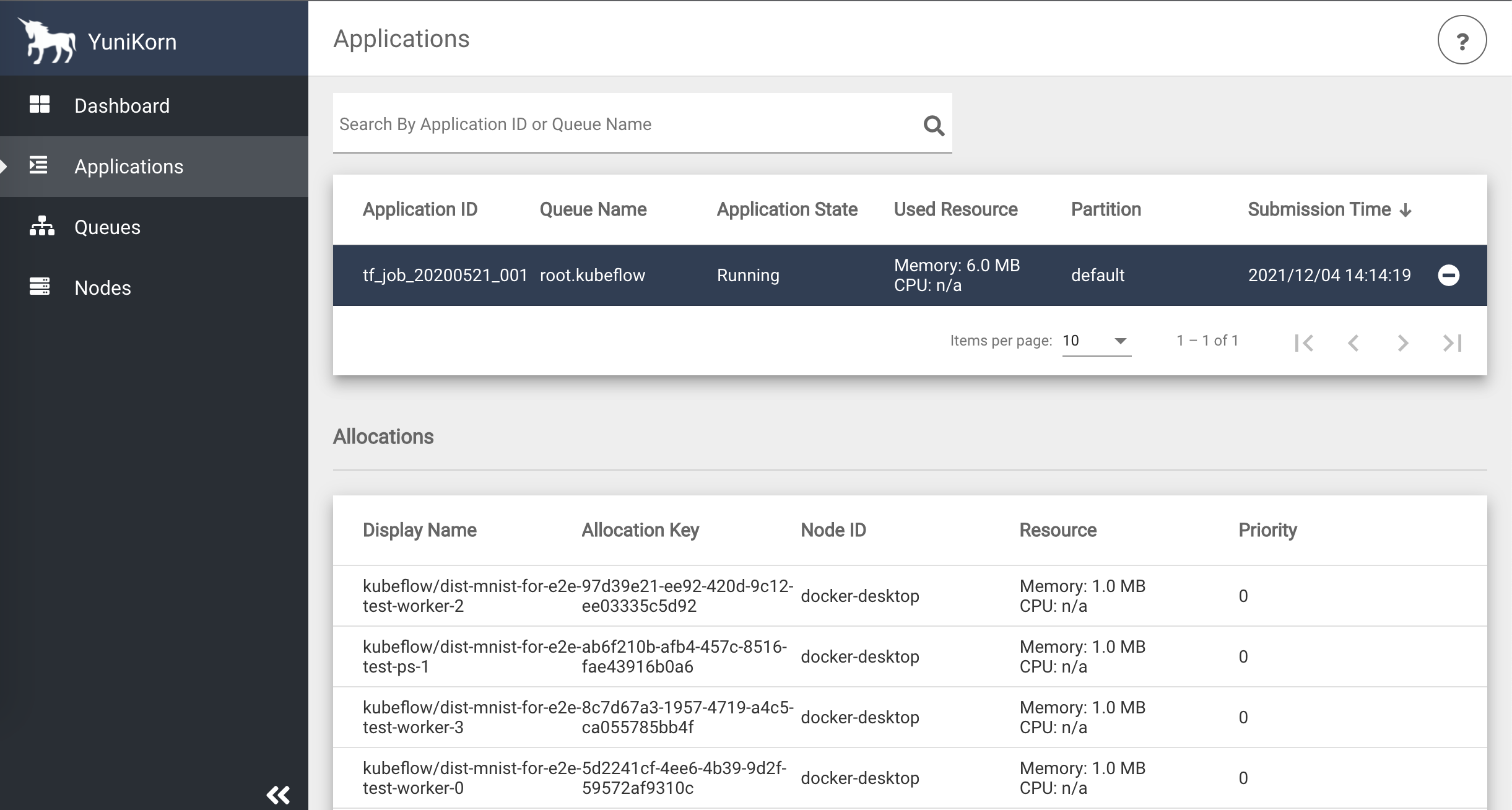
You can view the job info from YuniKorn UI. If you do not know how to access the YuniKorn UI, please read the document here.
Run a TensorFlow job with GPU scheduling
To use Time-Slicing GPU your cluster must be configured to use GPUs and Time-Slicing GPUs This section covers a workload test scenario to validate TFJob with Time-slicing GPU.
Verify that the time-slicing configuration is applied successfully
kubectl describe node
Capacity:
  nvidia.com/gpu:     8
...
Allocatable:
  nvidia.com/gpu:     8
...
Create a workload test file tf-gpu.yaml
# tf-gpu.yaml
apiVersion: "kubeflow.org/v1"
kind: "TFJob"
metadata:
  name: "tf-smoke-gpu"
  namespace: kubeflow
spec:
  tfReplicaSpecs:
    PS:
      replicas: 1
      template:
        metadata:
          creationTimestamp:
          labels:
            applicationId: "tf_job_20200521_001"
        spec:
          schedulerName: yunikorn
          containers:
            - args:
                - python
                - tf_cnn_benchmarks.py
                - --batch_size=32
                - --model=resnet50
                - --variable_update=parameter_server
                - --flush_stdout=true
                - --num_gpus=1
                - --local_parameter_device=cpu
                - --device=cpu
                - --data_format=NHWC
              image: docker.io/kubeflow/tf-benchmarks-cpu:v20171202-bdab599-dirty-284af3
              name: tensorflow
              ports:
                - containerPort: 2222
                  name: tfjob-port
              workingDir: /opt/tf-benchmarks/scripts/tf_cnn_benchmarks
          restartPolicy: OnFailure
    Worker:
      replicas: 1
      template:
        metadata:
          creationTimestamp: null
          labels:
            applicationId: "tf_job_20200521_001"
        spec:
          schedulerName: yunikorn
          containers:
            - args:
                - python
                - tf_cnn_benchmarks.py
                - --batch_size=32
                - --model=resnet50
                - --variable_update=parameter_server
                - --flush_stdout=true
                - --num_gpus=1
                - --local_parameter_device=cpu
                - --device=gpu
                - --data_format=NHWC
              image: docker.io/kubeflow/tf-benchmarks-gpu:v20171202-bdab599-dirty-284af3
              name: tensorflow
              ports:
                - containerPort: 2222
                  name: tfjob-port
              resources:
                limits:
                  nvidia.com/gpu: 2
              workingDir: /opt/tf-benchmarks/scripts/tf_cnn_benchmarks
          restartPolicy: OnFailure
Create the TFJob
kubectl apply -f tf-gpu.yaml
kubectl get pods -n kubeflow
NAME                                 READY   STATUS    RESTARTS   AGE
tf-smoke-gpu-ps-0                    1/1     Running   0          18m
tf-smoke-gpu-worker-0                1/1     Running   0          18m
training-operator-7d98f9dd88-dd45l   1/1     Running   0          19m
Verify that TFJob are running.
-
In pod logs
kubectl logs tf-smoke-gpu-worker-0 -n kubeflow.......
..Found device 0 with properties
..name: NVIDIA GeForce RTX 3080 major: 8 minor: 6 memoryClockRate(GHz): 1.71
.......
..Creating TensorFlow device (/device:GPU:0) -> (device: 0, name: NVIDIA GeForce RTX 3080, pci bus id: 0000:01:00.0, compute capability: 8.6)
....... -
In node
...
Allocated resources:
  (Total limits may be over 100 percent, i.e., overcommitted.)
  Resource           Requests     Limits
  --------           --------     ------
  ...
  nvidia.com/gpu     2            2
... -
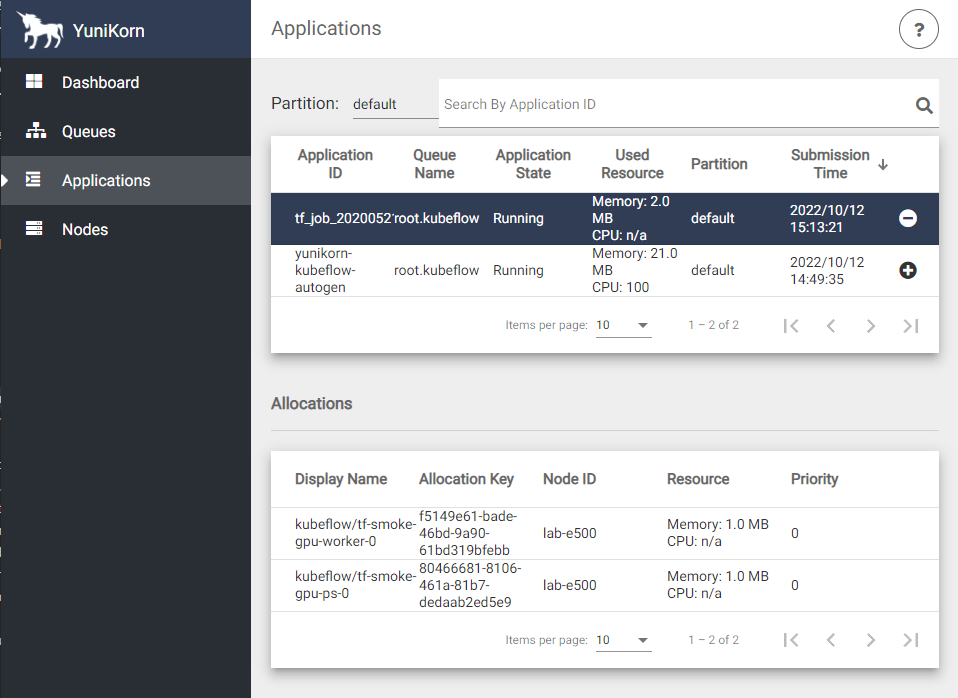
In Yunikorn UI applications